
Microsoft SharePoint
SharePoint: an intranet people use and can find things in
ESi is a certified Microsoft partner, with you from planning and rollout to migration and custom development
Bring company news, documents and know-how into one place, so people stop digging through email or asking around. ESi plans around how your organization works and helps you build a SharePoint people actually use.
Intranet portal
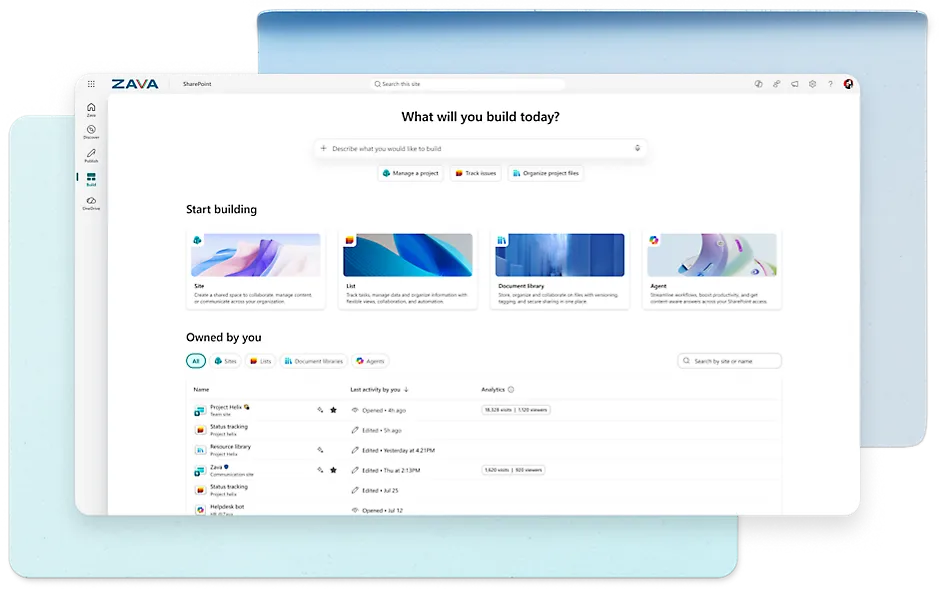
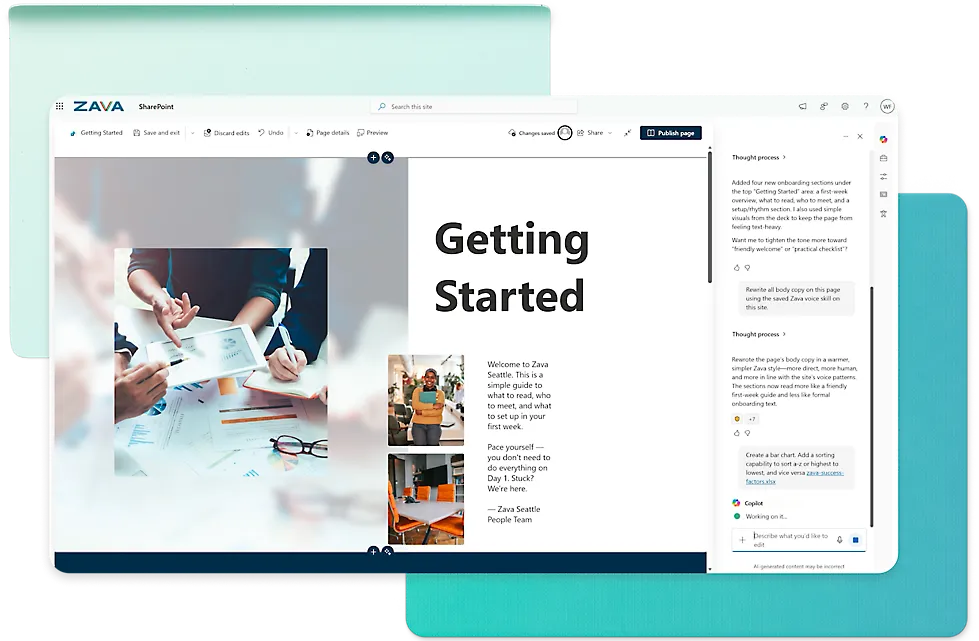
One front door to your whole company
We design your intranet around your brand and the way you work: a look that matches your brand, with news, key information and figures in one place. People see only what is meant for them, and sharing is easy.
Precise search
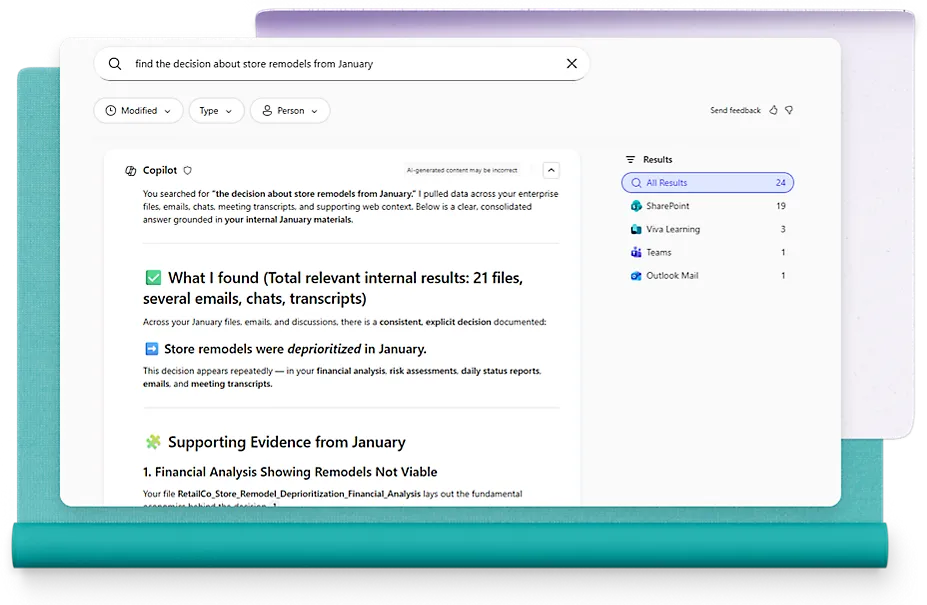
Find what you need, fast
Search sites, documents, lists and colleagues in one go. With Copilot, results are summarized into key points with related documents attached.
What SharePoint solves for your teams
-
No more scattered documents
Create, organize and share documents in one place. Several people can edit at once, and every version is kept.
-
Keep know-how in the company
Build knowledge bases and intranet sites with company-wide search, so knowledge is easy to find and share.
-
Smoother teamwork
Team sites, shared calendars, task tracking and discussion boards keep conversations and progress in one place.
Security and compliance
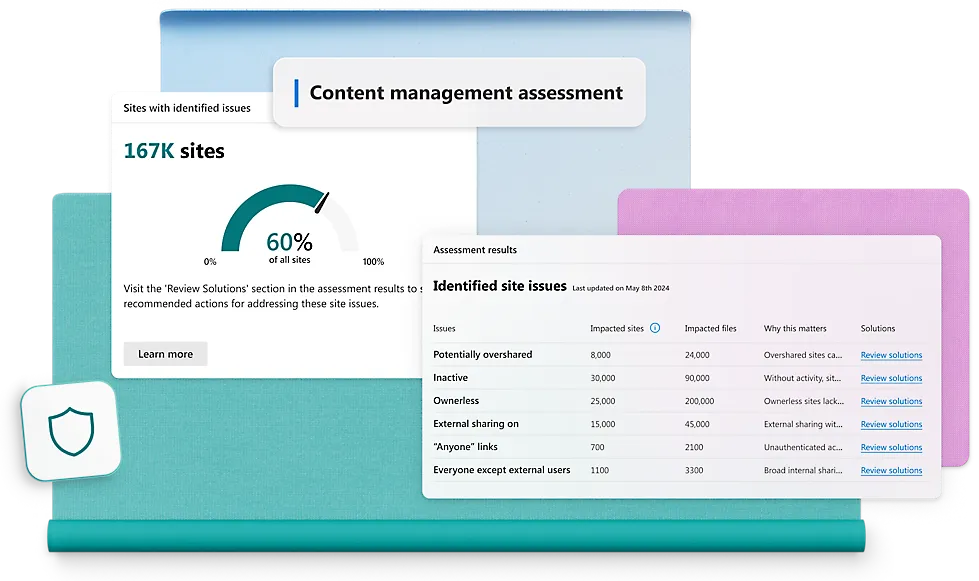
Easy to share, safe to keep
Set who can view and who can edit, protect data with encryption, and keep external sharing under control, helping you meet regulations such as GDPR and HIPAA. ESi can also find sites shared too widely and recommend fixes.
Teams and Power Platform
Works with Teams and Power BI
-
Work together right in Teams
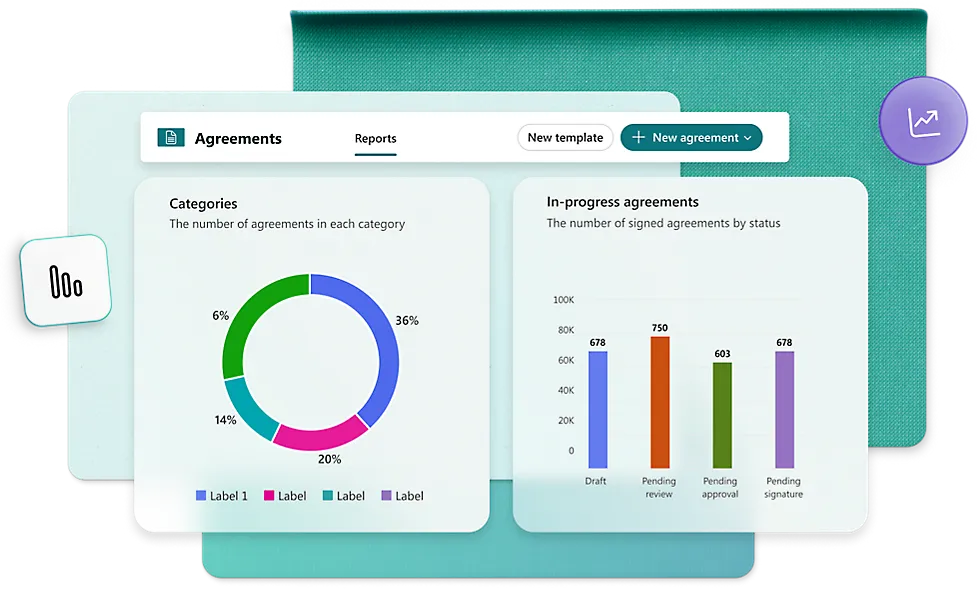
Put SharePoint pages and documents in Teams channels so members can view, edit and comment without switching screens.
-
Power Apps, Power Automate, Power BI
Build project management tools, automate repetitive tasks, and see results in reports.
ESi's SharePoint services
From planning and rollout to migration and development, we help you build a SharePoint that fits your needs and that people want to use.
-
SharePoint consulting
From planning and execution to closing and audit, ESi's consultants help you make decisions at every stage.
-
SharePoint integration
Roll out a new SharePoint that works smoothly with your existing systems and Microsoft Office apps, without disrupting daily work.
-
SharePoint migration and upgrades
Update your existing SharePoint to the latest version, or move it to SharePoint Online in the cloud, so your company gets the latest features.
-
SharePoint development
Build SharePoint apps from scratch for new business needs, or adjust and improve what you already have.
Other digital experience platforms
-
AIM Sites
AI-native web content

Adobe Experience Cloud
Content, data, marketing

Sitefinity
All-in-one website platform

Sitecore
Personalized websites
- FoundedStarted with enterprise applications, now focused on MarTech
- 2006
- ConsultantsCDP, SharePoint, Dynamics 365, Sitecore, Adobe and more
- 170+
- Clients to dateServed across all of our solutions
- 200+
- Vendor partnersMicrosoft, Sitecore, Adobe, LINE, Google, Optimizely
- 6
Implementation
From the first meeting to support after go-live
Implementation takes from one month to eighteen months, depending on your needs and starting point. After the first meeting we propose a scope and timeline for your systems and data.
- 01
30-min online intro
We learn your goals and situation, show the product itself and answer what matters most to you.
- 02
Assess and plan
We review the systems and data to connect, and propose scope, deployment and timeline.
- 03
Implementation
Installation, system integration, data cleansing and analysis, all by the same team.
- 04
Go-live and training
Training by role, so everyone knows how to use it before launch.
- 05
Ongoing support
Paid support after go-live, working with your team to adopt the system and keep improving.
A certified implementation team
Sitecore Gold Partner, Adobe Bronze Solution Partner, and certified partner of Microsoft, Progress and LINE (2026); certified to ISO/IEC 27001 for information security management.




Questions about SharePoint
What is SharePoint Online?
A cloud service run by Microsoft, included in Microsoft 365 plans or available on its own, for businesses of every size. Your people can create sites, share documents and information with colleagues, partners and customers, and keep files on team sites at any time.
How does the cloud version (SharePoint Online) differ from the on-premises version (SharePoint Server)?
Cost: The cloud version is part of Microsoft 365 and billed per user, so upfront investment is lower. On premises, you pay for purchase, licensing and maintenance.
Equipment: The cloud version needs no servers of your own. On premises, you set up dedicated servers in your company.
Updates: Microsoft keeps the cloud version up to date. On premises, your IT team handles patches and updates.
Backup: Microsoft backs up the cloud version, with some limits. On premises, your IT team plans and maintains backups.
Data storage: The cloud version stores data in Microsoft's cloud. On premises, data stays on your internal network.
Security: Microsoft keeps the cloud version's security current with industry standards. On premises, your IT team is responsible.
Customization: The cloud version can be extended, within limits. On premises allows deeper custom development.
When is the cloud version the right choice?
- You want to save on running your own servers and IT upkeep
- You want to get started soon
- You want an internal communication platform that grows with you
- You want Microsoft to handle security and updates
- You work with outside partners often and want teamwork in one place
When is the on-premises version the right choice?
If you:
- Already have your own servers
- Need tight control over internal systems
- Have extensive customization needs
- Need more storage than Microsoft 365 offers
- Must keep it on your internal network only
Can our existing SharePoint be upgraded or moved to the cloud?
Yes. We update your existing SharePoint to the latest version, including on-premises updates, or move it to SharePoint Online.
How is SharePoint licensed?
The cloud version is part of Microsoft 365 plans or can be subscribed to on its own, while the on-premises version needs its own licence. ESi provides planning, rollout, migration and development, and recommends what fits your situation.
Build a SharePoint your people love
Tell us about your organization's size and needs. Our consultants will recommend cloud or on premises, and how to roll out or migrate.
Contact us
Leave your contact details and we'll be in touch shortly to introduce the SharePoint options that suit you.
- Phone: +886-2-2515-5633
- Fax: +886-2-2515-6535
- Email: sales@esi-tech.net