
AI Digital Webmaster
AI Webmaster: your site looked after, every change reviewed
Regular audits, ready-made fixes and draft updates, each approved by an editor
Regular site audits, ready-made fixes and draft content updates. Every change comes with a preview site and a full record, and is published only after an editor approves it.

Pain Points
Once a site launches, no one looks after it
-
Slow updates
Changing a paragraph or swapping an image means waiting in line for a vendor or engineer, and campaigns often miss their dates.
-
Search rankings slowly slide
Broken links, overlong descriptions and missing alt text pile up, and no one checks regularly.
-
No one guards quality and security
After launch, accessibility, performance and security settings are rarely checked again, and customers often find the problems first.
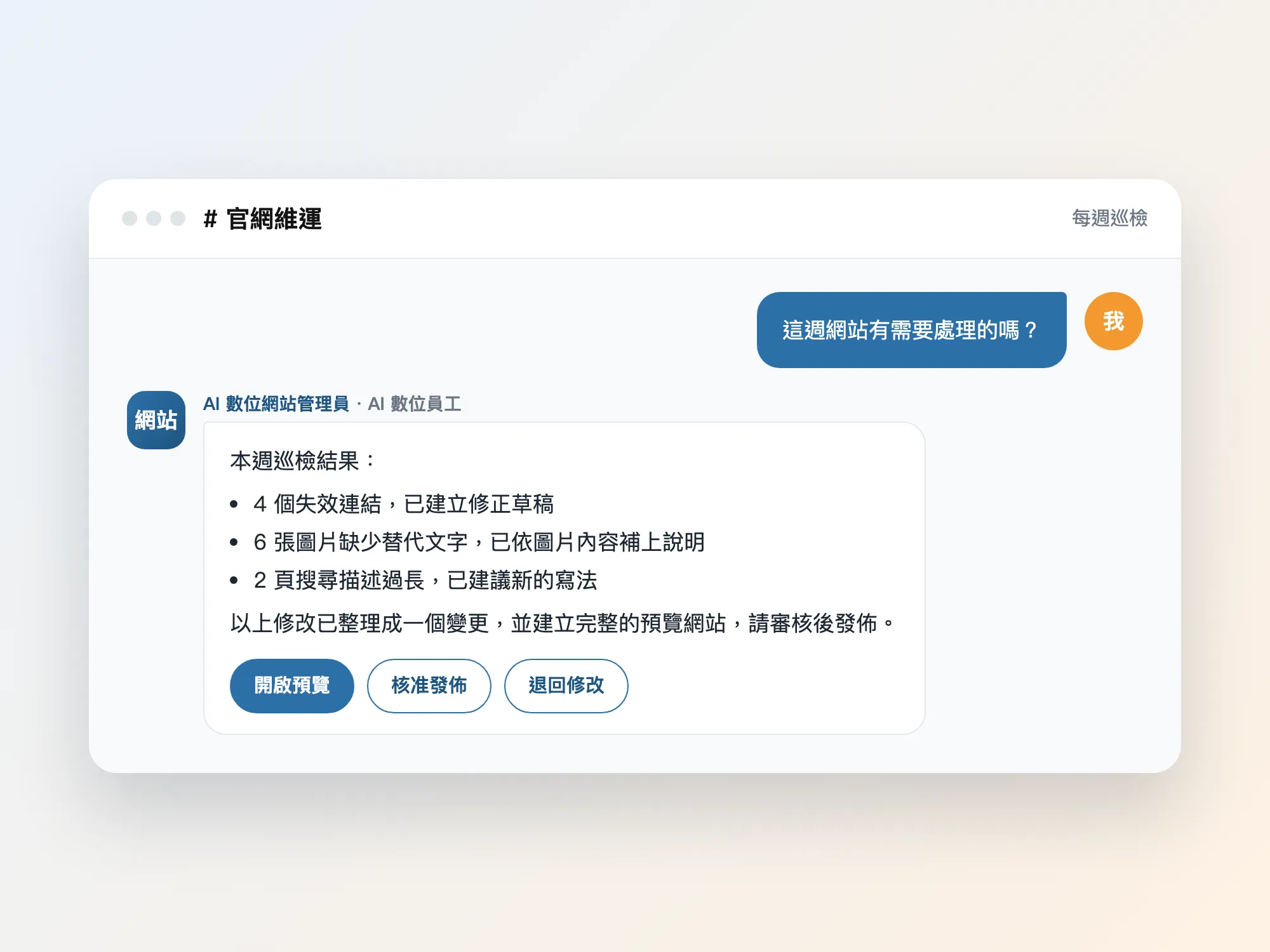
Chat is the interface
A weekly audit report, fixes ready
-
Proactive audits
Links, search descriptions, image alt text and page performance are checked regularly.
-
Fixes prepared as changes
Issues found come with ready-made fixes and a full preview site.
-
Assign work in chat
"Change the date on the campaign page to next Friday." One sentence and the draft is done.
Capabilities
What the AI Webmaster can do
Content updates and publishing
Drafts pages, articles and campaign content on request, following your brand voice and style guide.
SEO health checks
Checks titles, search descriptions, redirects and broken links, and suggests fixes.
Accessibility and alt text
Checks pages for accessibility issues and adds alt text based on image content.
Performance monitoring
Measures page load speed regularly and finds the images and components that slow your site down.
Security settings checks
Checks your site's security headers, certificates and third-party code, and alerts you to anything unusual.
Asset housekeeping
Organizes image details and licenses in your asset library and flags assets about to expire.
Workflow
Every change is reviewed
Audit or request
Audits the site regularly, or takes content update requests in chat.
Prepare the change
Bundles the edits into one change and builds a full preview site.
Editor review
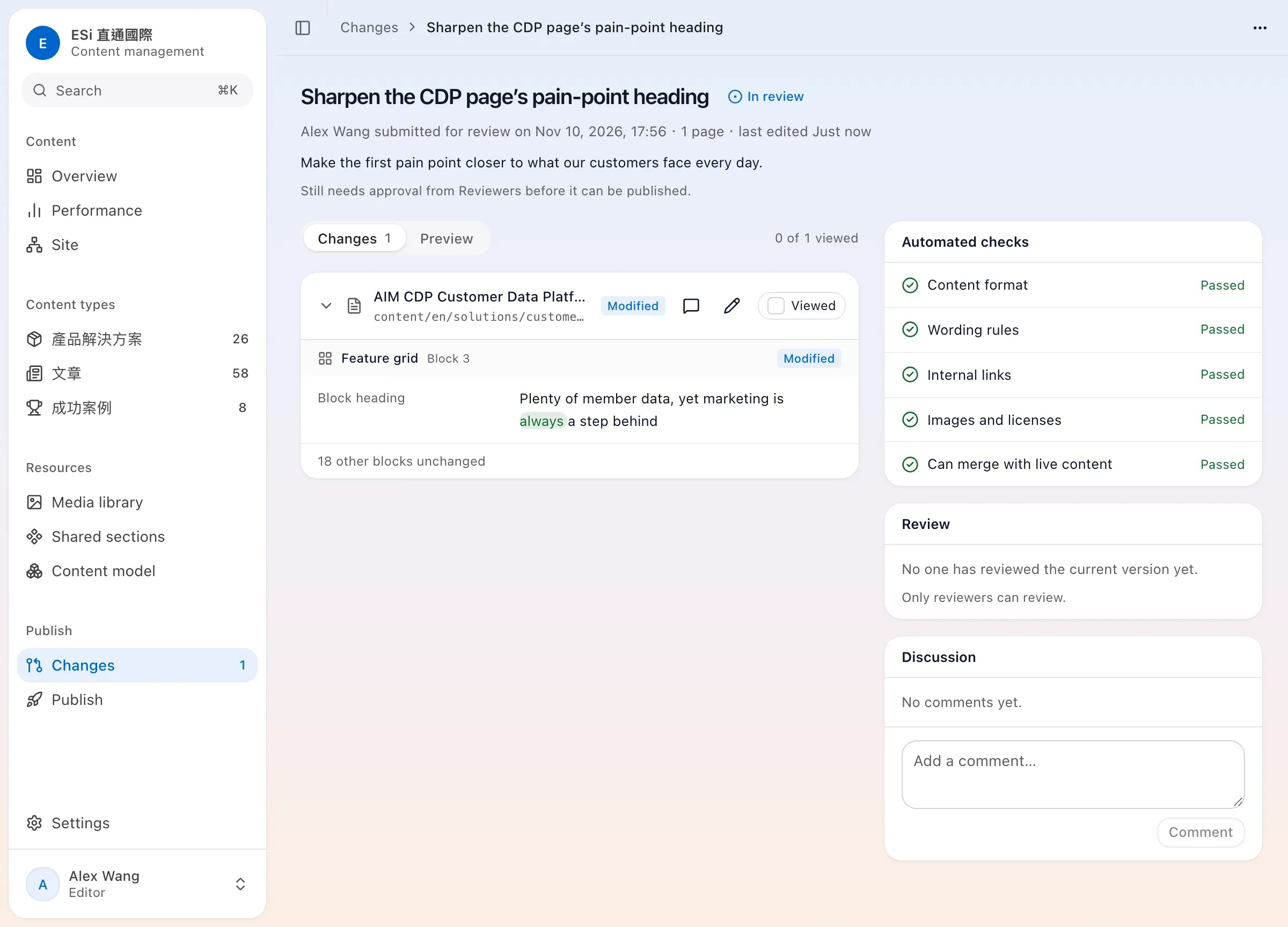
An editor compares before and after item by item, then approves or returns it.
Publish and record
Published after approval. Who changed what and when is all recorded, and you can roll back at any time.
With AIM Sites
Pair it with AIM Sites
The AI Webmaster works through the AIM Sites editor, with the same permissions, checks and review process as human editors:
-
Same permissions
It can only create drafts and changes. Publishing is always approved by a person.
-
Automatic checks
Content format, wording, links, accessibility and security are checked before publishing.
-
Full preview
Every change gets its own full-site preview.
Onboarding
Step 1
Website health check
Review your site's pages, content workflow and current issues to find what needs attention most.
Step 2
Guidelines and permissions
Set up your brand voice, terminology and review process, and decide what the AI Webmaster can handle.
Step 3
Training and pilot
Train editors to assign, review and return work, and start the pilot with audits and small edits.
Step 4
Go live and ongoing support
Expand the scope of work step by step. ESi consultants regularly review site quality and results.
- FoundedStarted with enterprise applications, now focused on MarTech
- 2006
- ConsultantsCDP, SharePoint, Dynamics 365, Sitecore, Adobe and more
- 170+
- Clients to dateServed across all of our solutions
- 200+
- Vendor partnersMicrosoft, Sitecore, Adobe, LINE, Google, Optimizely
- 6
A certified implementation team
Sitecore Gold Partner, Adobe Bronze Solution Partner, and certified partner of Microsoft, Progress and LINE (2026); certified to ISO/IEC 27001 for information security management.





Questions about the AI Webmaster
Will the AI change the live website directly?
No. The AI Webmaster can only create drafts and changes, each with its own preview site. Publishing is always approved by an editor.
Do we have to use AIM Sites?
With AIM Sites you get the full permission, review and preview workflow. For other website platforms, our consultants can first assess what the AI Webmaster can take on.
Where do we give it work?
Say it in Teams or Telegram, for example "move the campaign page date to next Friday", and it prepares a draft for you to review.
How do we start?
With a website health check of your pages, content workflow and current issues. Once your brand wording and review flow are set, it starts with audits and small edits.
Keep your website in good shape every day
Start with a website health check to see what your site needs right now.
Contact us
Leave your contact details and one of our consultants will get back to you shortly.
- Phone: +886-2-2515-5633
- Fax: +886-2-2515-6535
- Email: sales@esi-tech.net